Hearing the note you play
Pitch detection in the browser, low bass strings, laptop microphones, and why we switched to the method tuner apps use.
Written in retrospectCovers: 15 September – 11 October 2026

If the game cannot hear you, nothing else matters. A wrong "wrong" is the fastest way to make someone quit, so listening well has been one of our longest-running pieces of work.
Your sound stays with you
Kaastle works out the pitch in your browser. The audio is never recorded, stored or sent anywhere; our privacy page says so, and the code is built that way. The one exception is a tool you choose to use: the sound check can record a 15-second sample of your microphone and save it as a file on your own computer. Nothing is uploaded.
Low strings are hard
A guitar's low E is about 82 Hz; a bass's is about 41 Hz. Low notes are rich in overtones, and a pitch detector can easily lock onto the octave above. We met this early:
- 15 September: the game started checking that your microphone really hears you, and let you choose which input to use.
- 21 September: bass tuning was fixed to its real range, E1 to G2, and a five-string bass option was added.
- 22 September: a fix for octave jumps on the low strings.
Not every microphone is the same
On 11 October we stopped pretending they were. You now tell the sound check what you play into, and the game reads accordingly:
- Sound card, pickup or DI: strict. The octave must be exact: if you play E2 when E3 was asked, that is a miss, because on a clean signal we can tell.
- Studio or USB microphone: the octave is still judged, with a little give for the room.
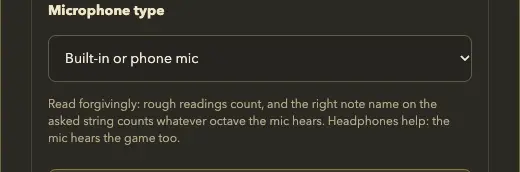
- Built-in laptop or phone microphone: read forgivingly. A small microphone barely hears a guitar's low strings, so the right note name on the asked string counts at whatever octave the mic hears. We tell you so on screen, and suggest an audio interface or a studio mic for the best results.
The rule behind it was simple: be exact where the signal lets us be exact, and never punish a player for the microphone they happen to own.
The method tuner apps use
The same day, we replaced our pitch detector. We had been using YIN with an extra guard against octave errors. Testing on a real MacBook microphone recording showed it still slipped an octave too often, so we moved to the McLeod pitch method, the approach many tuner apps use. On that same recording, octave slips in the strict reading went from 14 to 0, and in the forgiving reading from 20 to 2, at about a quarter of the cost per frame.
Tuning now behaves like a tuner too: time spent in tune adds up across plucks, a faint reading only pauses it, and a clearly off one starts it again.
Quicker answers
Also on 11 October, the note gate learned to take your next note on a fresh pluck (a sudden rise in level) or a different note played over a ringing one, so you no longer need to mute the string or play a note twice. While a prompt or chime is sounding, the microphone briefly stops listening so the game never mistakes its own sound for your answer. On a sound card or DI it never stops.
The prompts themselves became real recordings that day: acoustic guitar and electric bass notes from the University of Iowa and Karoryfer collections (via tonejs-instruments, CC BY 3.0), with a piano standing in if they fail to load.
Listening will never be finished. If the game mishears you, please tell us through Feedback on the home page, and say what you play into: it helps more than anything.